- Published on
- • 3 min read
Apipie-rails - Rails API documentation tool
- Authors

- Name
- Shaiju Edakulangara
- @eshaiju
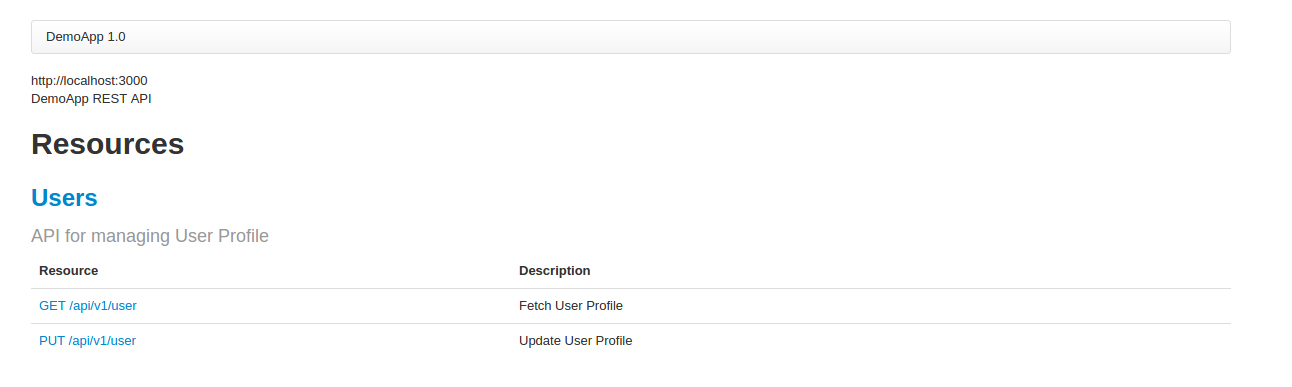
Apipie-rails is a DSL and Rails engine for documenting your RESTful API. Instead of the traditional use of #comments, Apipie lets you describe the code through the code itself. With Apipie, you can specify the methods available to your API and describe every possible parameter. Apipie uses Ruby syntax, so there's no need to learn yet another syntax. The documentation is available from within your app (by default under the /apipie path).
Getting started
Add Apipie to your Gemfile:
gem 'apipie-rails'
After bundle install, initialize Apipie:
rails g apipie:install
Now configure the basic settings in config/initializers/apipie.rb:
Apipie.configure do |config|
  config.app_name                = "DemoApp"
  config.api_base_url            = "/api/v1"
  config.doc_base_url            = "/apidoc"
  config.api_controllers_matcher = "#{Rails.root}/app/controllers/api/v1/*.rb"
  config.app_info                = "DemoApp REST API"
end
Now you can start documenting your resources and actions.
Resource Description
Describe a resource at the controller level using resource_description do ... end.
resource_description do
    short "API for managing User Profile"
end

Method Description
Describe individual methods:
- api: Define the HTTP method, path, and short description.
- param: Describe parameters.
- formats: Specify request/response formats.
- error: Describe possible errors.
- description: Provide a full method description.
- example: Provide an example response.
Example of a user controller with API documentation:
class Api::V1::UsersController < Api::ApiController
  resource_description do
    short "API for managing User Profile"
  end

  api :GET, '/user', "Fetch User Profile"
  description "This API is used to fetch the user profile details."
  formats ['json']
  error :code => 404, :desc => "User Profile not yet created"
  def show
    if @user.nil?
      render :status => :not_found, :json => {:message => "User Profile not yet created"}
    else
      render :status => :ok, :json => {:user => @user}
    end
  end

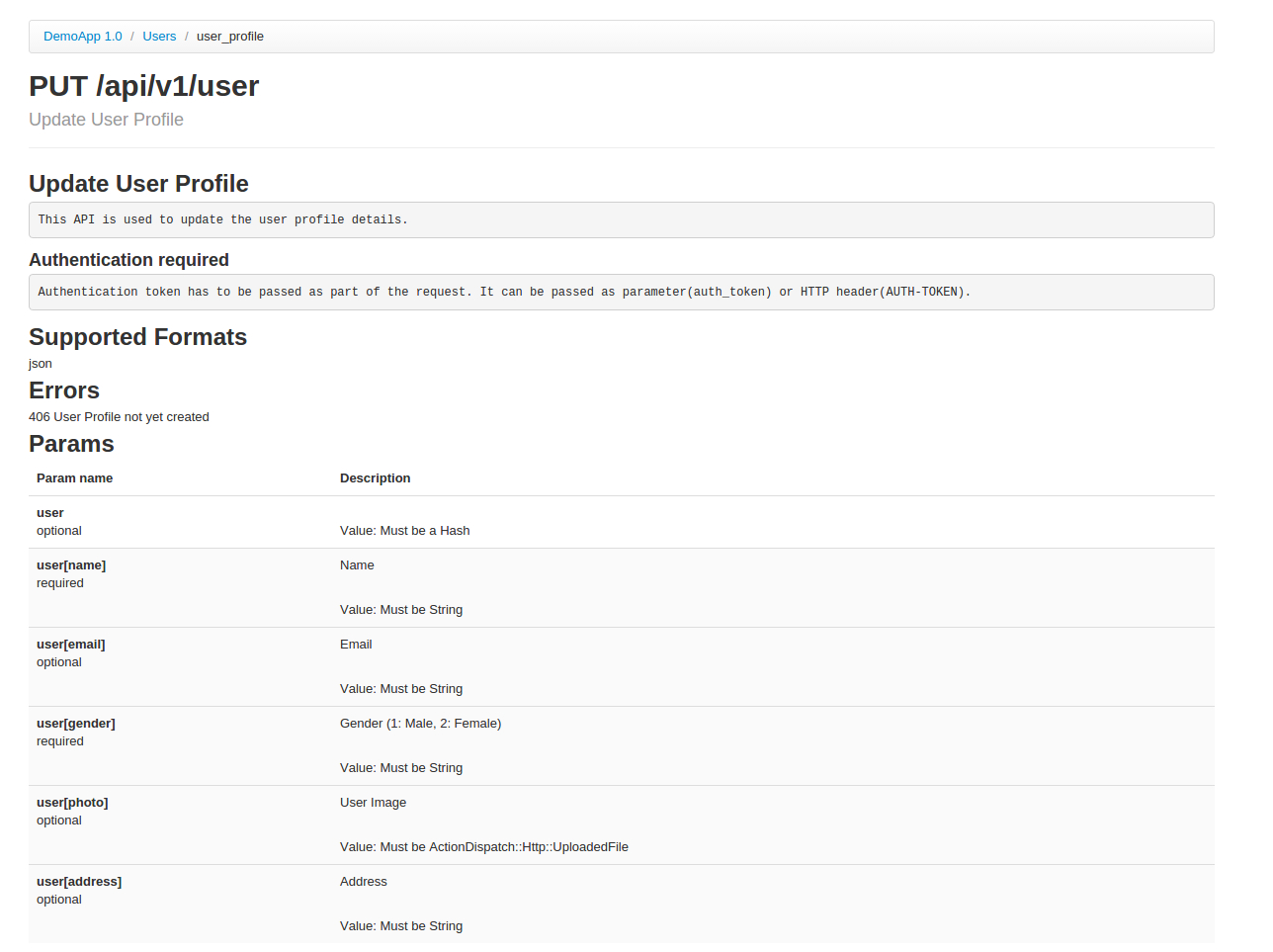
  api :PUT, '/user', "Update User Profile"
  description "This API is used to update the user profile details."
  error :code => 406, :desc => "User Profile not yet created"
  formats ['json']
  param :user, Hash, :description => "User" do
    param :name, String, :desc => "Name", :required => true
    param :email, String, :desc => "Email", :required => false
    param :gender, String, :desc => "Gender (1: Male, 2: Female)", :required => true
    param :photo, ActionDispatch::Http::UploadedFile, :desc => "User Image", :required => false
    param :address, String, :desc => "Address", :required => false
  end
  def user_profile
    # ... logic for update ...
  end
end
You can also add example data in doc/apipie_examples.yml:
users#show:
  - verb: :GET
    path: /api/v1/user
    code: 200
    response_data:
      'user':
        'id': 3
        'email': 'eshaiju@gmail.com'
        'name': 'Shaiju E'